Bulk Bypass in Xactimate: What is it and
How does it work?
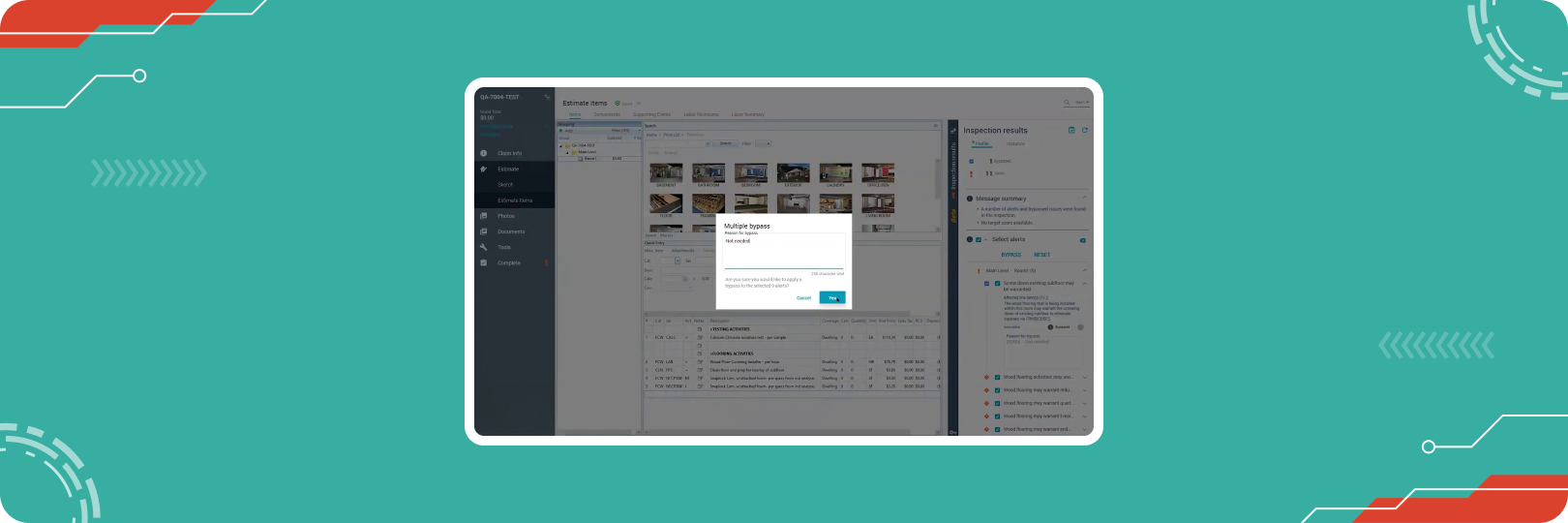
XactXpert is the most widely used estimating tool, though it can be quite complex. Fully mastering this tool often takes years due to the constant updates being released. This article will discuss an important XactXpert feature that can help you become more proficient in Xactimate and enhance your workflow: bulk bypass.
What is Bulk Bypass?
The Bulk Bypass feature in XactXpert is a powerful tool that saves time and simplifies workflows. Instead of bypassing alerts individually, it allows you to bypass multiple alerts simultaneously, making it especially useful when wrapping up a completed scope with outstanding alerts.
Where do you need the Bypass feature?
Warning alerts in XactXpert highlight the parts of your estimates where improvements can be made to ensure there are no errors. Unless you address these alerts, you cannot finish or print your scope. You can address these alerts either by following the guidance or giving reasons to bypass them.
How to use Bulk Bypass in XactXpert
1. Bypassing the Alerts
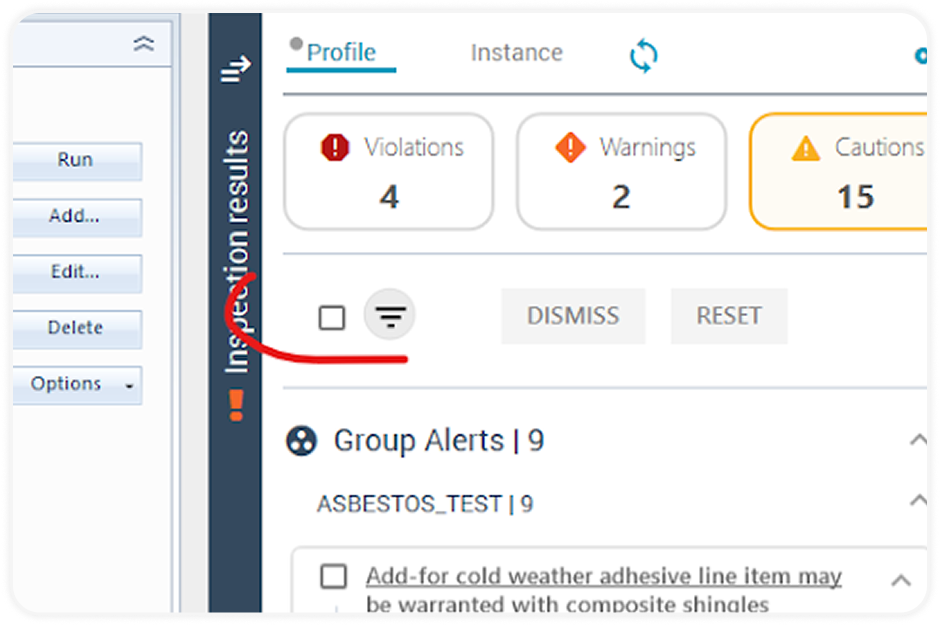
On the right side of the screen within the XactXpert Drawer, you’ll see a list of alerts such as Violations, Warnings, and Cautions.
2. Select All Alerts
Find the checkbox as shown in the image below. Click this checkbox to select all alerts in the list that you want to bypass.
3. Initiate Bypass
Once the alerts are selected, click on the "Bypass" button.
4. Provide a Reason
A prompt will appear asking you to provide a reason for bypassing the alerts. Select a pre-determined bypass reason from the drop-down box or provide your own that justifies why you are bypassing the Warning alert.
5. Confirm the Action
Click "Yes" to confirm the bypass. The system will immediately bypass all selected alerts, updating the status of your estimate.
The Benefit of Bulk Bypass
The bulk bypass feature enhances the efficiency of the estimating process, especially when working on complex scopes with numerous alerts. Instead of bypassing each alert individually, you can save significant time depending on the length and complexity of your scope.
Want to see a video demonstration of the process? Don’t worry, we’ve got you covered. Watch how to use Bulk Bypass in XactXpert below.
Write Accurate Estimates with the
Actionable Xactimate Profile
For professionals who rely on accurate estimates, the Actionable Xactimate Profile is an essential tool. With over 4,200 Actionable Alerts, it is a profile within Xactimate, offering live estimating guidance.
Live Estimating Guidance
The Actionable Profile in Xactimate acts as a mentor or guide within Xactimate, identifying errors, suggesting missing line items, and preventing costly miscalculations. Its alerts provide immediate feedback, helping estimators refine their work for greater accuracy.
Omission Alerts
Omission alerts flag missing warranted line items or insufficient quantities, ensuring that every expense is included in the estimate.
Overage Alerts
Overage alerts help estimators avoid overbilling by identifying duplicate or excessive line items that exceed project needs.
Start using the Actionable Profile for increasingly accurate and complete estimates.
Try it todayEnhance your knowledge with the Actionable Profile and
Xact Best Practices Bootcamp
The Actionable Profile and Xact Best Practices Bootcamp offers a robust educational experience that goes beyond standard tutorials. It is designed to provide participants with practical skills that can be applied in real-world situations. This 2-day comprehensive training program caters to both beginners and seasoned estimators, equipping them with the necessary knowledge to confidently navigate and utilize the extensive features of Xactimate.
Register nowConclusion
Bulk bypass is one of the most useful features in Xactimate that exists to improve your productivity. Not only does it allow users to avoid the cumbersome process of manually bypassing each alert but also saves valuable time. If you want to learn more about Xactimate and its features, we have plenty of resources available for you to check out.
About Actionable
We're a 501(c)(6) educational non-profit, meaning that everything we do goes into developing and maintaining tools and resources to help the industry thrive.
For any questions, reach out to us below: