How to Write Better Estimates in Xactimate?

Xactimate is the go-to estimating tool in the restoration industry. Furthermore, it is equally important for both contractors and adjusters to ensure accurate estimates for fair payment. Without the ability to deliver professionally written Xactimate Estimates to your clients, insurance companies, and third-party administrators, you will be at a competitive disadvantage in your local market.
Learning line items and creating detailed sketches are great starting points to write better estimates but what if you had embedded guidance in Xactimate?
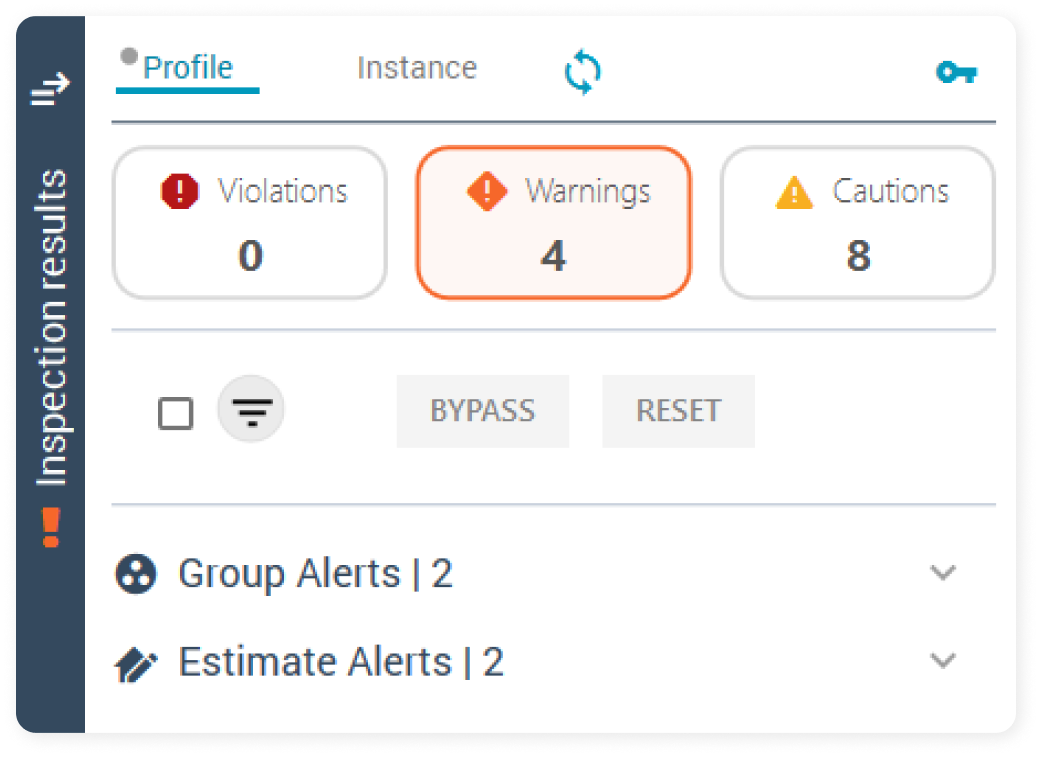
If you’re familiar with Xactimate, you’ll know that there are two profiles in the software: one for carriers and one for contractors.
Now, there’s a new profile in town that can help you improve your estimates.
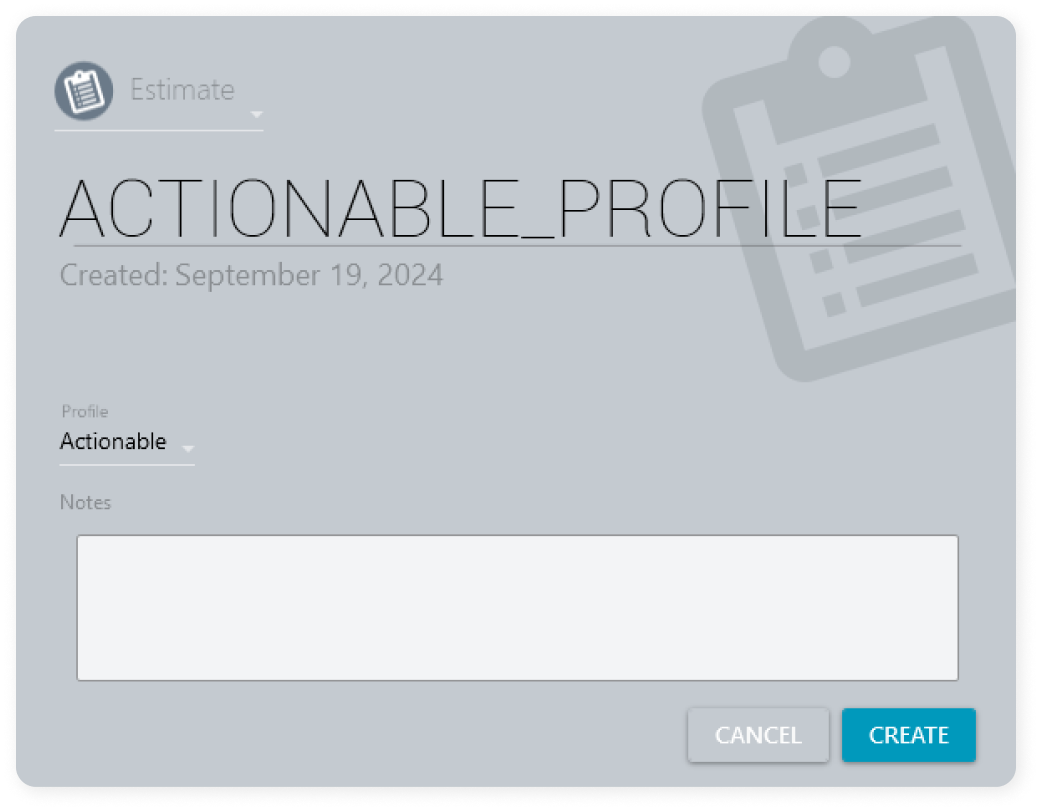
The Actionable Xactimate Profile
Released in October 2022 by Actionable, the Actionable Xactimate Profile is a profile within Xactimate that provides live estimating guidance, helping Xactimate users write a complete and accurate estimate. The Actionable Profile traces its origin back to the Umpire’s Invoicing Manual, a 3,000-page book on Invoicing Rules based on customary and reasonable practices in the industry. Now, the Actionable Profile has over 3,500 alerts guiding users to improve their Xactimate estimates.
Industry-Standard Default Settings for Reality
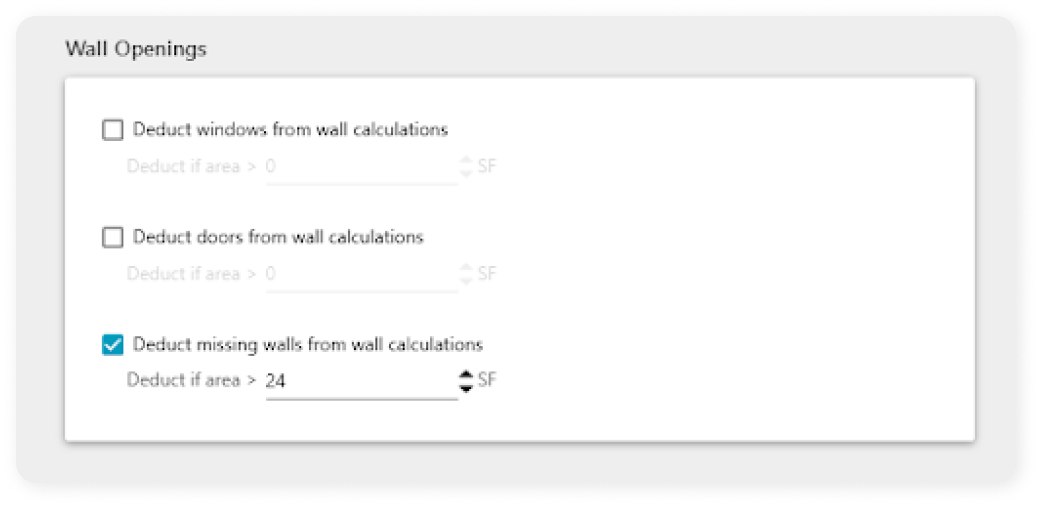
The Actionable Profile’s default settings thoughtfully reflect the reality of mitigation and repair in the field. These settings change how the waste functions/algorithms in Xact function.
For example, the Actionable Profile does not deduct missing doors or windows from wall calculations, but it will deduct missing walls from wall calculations if they’re greater than 24 square feet. This profile recognizes that trade-off between labor and material – you shouldn’t paint a missing wall, but you might need to do more work to accommodate that missing area.
An Inspection Engine With Live Estimating Guidance
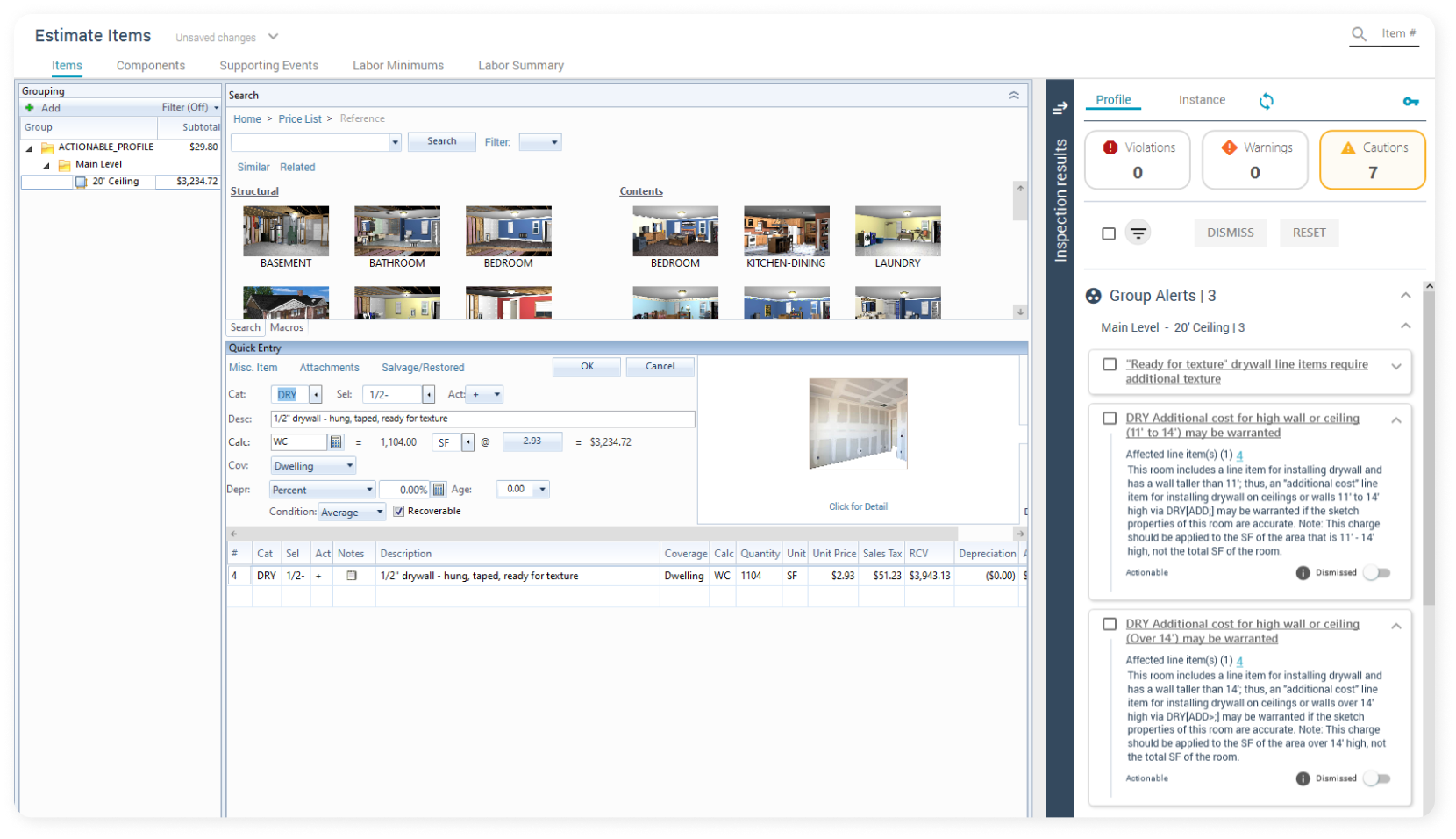
The Actionable Profile provides live estimating guidance – powered by the Insight Sheet Database – as you write your scope. The Actionable Profile generates Actionable Alerts to help catch mistakes, overages, and omissions and ensure all warranted line items are included so you can write better estimates.
For example, the inspection engine will flag an Actionable Alert noting that you’ve included sink activities but you have no supply lines or angle stop valves. This is what we would call an omission rule.
The Types of Guidance in the Actionable Profile
The Actionable Profile provides two primary types of guidance in Xactimate to help you write accurate estimates.
Omission Alerts
As you can see from the example above, an omission alert notifies you about missing warranted line items or a less-than-appropriate quantity of those line items.
Another example of the omission rule is when you work on a 20-foot-high ceiling. In this case, the omission rule reminds you to appropriately charge by adding the relevant line item.
Overage Alerts
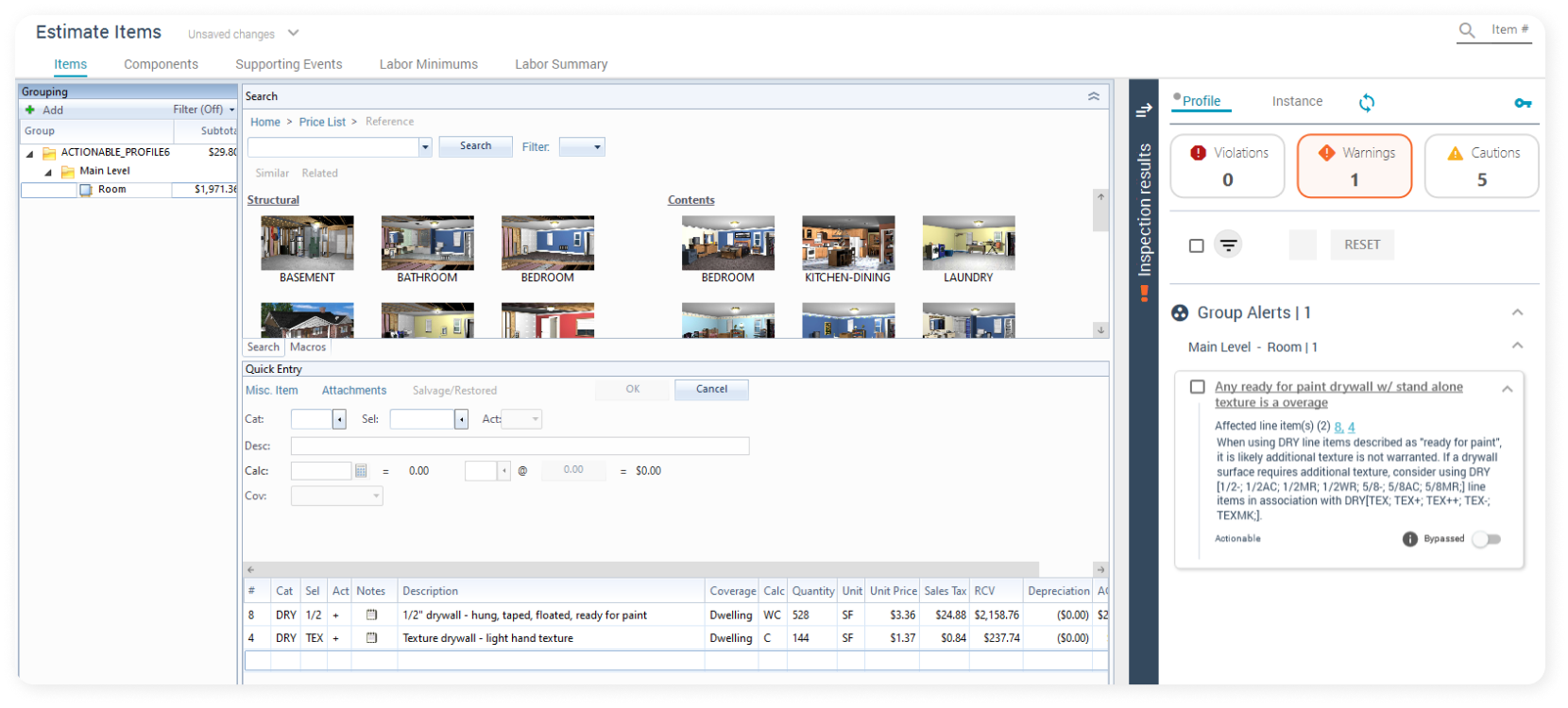
An overage alert fires when you are using duplicate line items or excessive quantities of line items based on your sketch and the rest of the scope.
For instance, the line item for drywall already contains texture in it. If you add a separate line item for texture, the overage alert will notify you to remove the additional line item or add an F9 note to clarify.
Hey, there’s more!
XactScope
We’ve also equipped the Actionable Profile with XactScope for mitigation invoicing and exterior estimating. With rule scripts tailored for both green and seasoned teams, you can improve your estimates and deliver exceptional results, no matter the project type.
Access to 100+ Xactimate Macros
Most contractors and adjusters who estimate in Xactimate know about macros. These are MCX files which are essentially a group of line items bundled into templates. You can use macros to boost your productivity in repetitive estimating tasks. Gain access to getinsights/macros that will help you estimate efficiently. All Macros include relevant line items and F9 notes and you get them for free with the Actionable Profile.
Try the Actionable Xactimate Profile for 99% off your first month!
Getting started with the Actionable Xactimate Profile
is simple
- Sign up for the Actionable Pro Plan
- Add your company's Xactimate licenses
- Request company-wide activation
- Enable access to the Actionable Profile
- Sync it
- Start estimating with confidence
Master Xactimate and Learn to Write Accurate Estimates With Actionable Profile & Xact Best Practices Bootcamp

Want to write better estimates? We have designed a two-day comprehensive course to transform attendees into experts in Xactimate best practices and the Actionable Xactimate Profile. This bootcamp covers Xactimate’s history, future, and essential features, providing an in-depth analysis of how to maximize Xactimate's potential for the modern-day estimator and claims professional. Whether you’re an experienced professional or starting from scratch, we can proudly say there’s no better place to learn how to do things the right way.
Consistently writing well-informed and accurate estimates is essential in today’s restoration market, and technology can help you get there. Sign up for the Actionable Pro Plan membership, which includes access to the Actionable Xactimate Profile and more. Experience a new era of precision, speed, and efficiency in estimating workflow.
We hope this was helpful! We love answering questions and getting feedback from our users. If you have any further questions, please contact us at support@getinsights.org.
Check out the video guide:
Book a demo to witness the Actionable Profile today.
Get 99% off your first month – just $1.62/seat!