TruePlan Integration with Xactimate
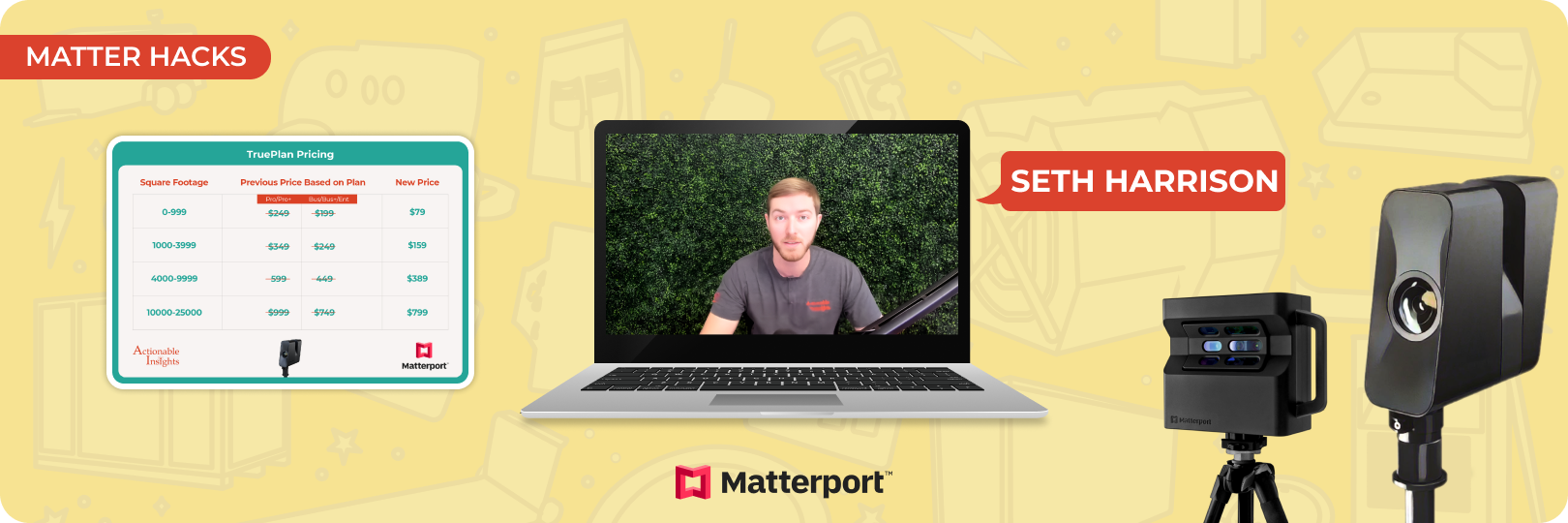
Accurate data is essential for efficient claims handling in the property insurance industry. Matterport TruePlan and its integration with Xactimate X1 simplify this process by offering precise, pre-built property sketches directly linked to claims. This seamless connection saves time, reduces manual errors, and ensures fairer outcomes for contractors and adjusters.
From ordering TruePlan to troubleshooting common issues, this guide walks you through everything you need to know about using TruePlan effectively. Learn how the TruePlan Matterport integration is transforming claims processing with streamlined workflows, faster approvals, and improved transparency.
Understanding TruePlan and Its Benefits
TruePlan is a tool designed to simplify creating property sketches by turning Matterport scans into ready-to-use Xactimate sketches. This eliminates the need for manual measurements and drawings.
Accurate property scans are crucial for insurance claims. They ensure all the details are captured and nothing is missed. With TruePlan Matterport, you can rely on precise data, which leads to better estimates and fewer disputes.
How TruePlan integration helps
Saves time: Pre-built Xactimate sketches eliminate hours of manual work, speeding up the claims process.
Reduces errors: Manual work can lead to mistakes. TruePlan ensures your measurements are accurate and consistent.
Improves efficiency: Reliable property data enables faster, fairer claims processing.
How the Integration Works
The integration of TruePlan is the result of a collaboration between Matterport and Verisk. This partnership allows you to order TruePlan directly within Xactimate X1 software. It’s a seamless process designed to save time and ensure accuracy during property assessments.
Setting Up the Integration
How to enable TruePlan on Matterport
- Log in to your Matterport account.
Start by signing into your account using your credentials. - Go to settings.
Once logged in, navigate to the settings section and find the option for managing add-ons. - Enable the features.
In the add-ons menu, turn on both TruePlan and the Verisk Xactimate settings. - Enter your XactNet ID.
Add your XactNet ID to complete the setup. This step ensures your accounts are connected for a smooth workflow.
To make the process even easier, enable automatic TruePlan ordering. This ensures quick approvals, reducing delays and making it more efficient to get the sketches you need.
Connecting Accounts
Linking your Matterport and Xactimate accounts is straightforward. You can configure this integration in two ways:
- One-to-one configuration: A single Matterport account links to one Xactimate account.
- One-to-many configuration: A single Matterport account links to multiple Xactimate accounts, depending on your team’s needs.
By connecting these platforms, you enable a seamless system where Matterport TruePlan creates accurate property scans, and Xactimate transforms these scans into detailed, ready-to-use sketches.
Using TruePlan Within Xactimate
TruePlan integration with Xactimate makes creating accurate property sketches straightforward and efficient. Here's how you can use TruePlan within Xactimate to enhance your workflow.
Placing an Order
Follow these steps to order a TruePlan directly from Xactimate X1:
- Open a claim.
Start by accessing the specific claim in Xactimate X1. - Click on "Request Data."
Inside the claim file, locate and click the "Request Data" button. This feature allows you to order a TruePlan quickly. - Enter the required information.
Provide all necessary details, including:
- Property address.
- Specific claim identifiers, such as claim number or policy details.
- Any additional information is needed to process the order accurately.
Once submitted, Matterport TruePlan will process your request and generate the sketch.
Importing TruePlan into Sketch
When your TruePlan is ready, it can be seamlessly integrated into Xactimate. Here’s how:
- Download the ESX file
Retrieve the pre-built sketch file provided by TruePlan Matterport. - Import into Sketch
Open the Sketch feature within Xactimate and import the ESX file. The integration ensures the sketch is ready to use without manual adjustments. - Review and adjust
After importing, review the sketch and make minor adjustments as needed to fit the specific claim requirements.
Benefits of Using a Pre-Built Sketch
Using a pre-built sketch from Matterport TruePlan offers several advantages:
- Faster claims processing: A complete and accurate sketch speeds up the estimating process.
- Reduced errors: Eliminates manual sketching mistakes, ensuring property dimensions are precise.
- Efficiency: Spend less time drafting and more time managing claims effectively.
Learn with Visuals
For a video tutorial of Matterport TruePlan integration with Xactimate, check out this video.
Troubleshooting and Support
While integrating Matterport TruePlan with Xactimate X1 is designed to be seamless, occasional issues can arise. Here’s how to address them and ensure accurate integration.
Integration Delays
Issue: Sometimes, TruePlan orders may take longer to process.
Solution: Contact Matterport support for updates or escalate the issue with Xactimate representatives. Both teams are equipped to resolve delays and guide you through any technical difficulties.
Incorrect Address or Claim File Matching
Issue: Discrepancies between property addresses or mismatched claim files can lead to integration errors.
Solution: Double-check that the property address in the Matterport model matches the information entered in Xactimate. This step ensures smooth data exchange.
General Assistance
Recommendation: If issues persist, reach out to Matterport or Xactimate representatives for personalized help. Their support teams can provide tailored solutions and troubleshoot unique problems.
Best Practices for Accurate TruePlan Integration
To make the most of TruePlan integration, follow these best practices:
Ensure Address Accuracy
Always verify that the property address in the Matterport model aligns with the details in Xactimate. This minimizes errors and ensures the data flows seamlessly.
Use Unique Identifiers
Include model IDs or other unique identifiers when linking files. This improves precision and avoids confusion between similar claims.
Manage Pre- and Post-Mitigation Scans
For restoration projects, keep separate scans for the pre-mitigation and post-mitigation stages. This practice ensures clear documentation and supports better claims assessment.
Helpful Resources
Become Matterport Certified in Just 4.5 hours
If you want to master Matterport, we can proudly say that there is no better place to learn it than the Actionable Matterport Certification. This is a comprehensive course designed to help professionals fully understand how to use Matterport effectively. This certification covers everything from handling hardware and software to leveraging the technology for sales, operations, business development, risk management, client retention, and more.
Become a Master Estimator with the Actionable Profile And Xact Best Practices Bootcamp
This two-day comprehensive course aims to transform attendees into experts in Xactimate best practices and the Actionable Xactimate Profile. Covering the software's history, future, and essential features, this bootcamp provides an in-depth analysis of how to maximize Xactimate's potential for the modern-day estimator and claims professional. By the end of the course, you’ll gain expertise in line items, component buildups, yield adjustments, and the newest XactXpert utilities to further enhance your Xactimate skills.
Xactimate Sketch Gallery
Besides Matterport TruePlan, Sketch templates are also a great way to improve the accuracy of your sketches and the speed of your workflows. Our Xactimate Sketch Gallery contains over 100 sketch templates for various complex structures and components. The best thing is that you can get them for free on our website.
In Conclusion
As the property insurance industry adopts advanced tools, Matterport TruePlan and its integration with Xactimate stand out for its ability to promote transparency, efficiency, and trust. By leveraging this innovative solution, you can improve your claims processing and ultimately the bottom line of your business.
About Actionable
We're a 501(c)(6) educational non-profit, meaning that everything we do goes into developing and maintaining tools and resources to help the industry thrive.
For any questions, reach out to us below: