What are Violation, Caution, and
Warning Alerts in Xactimate?
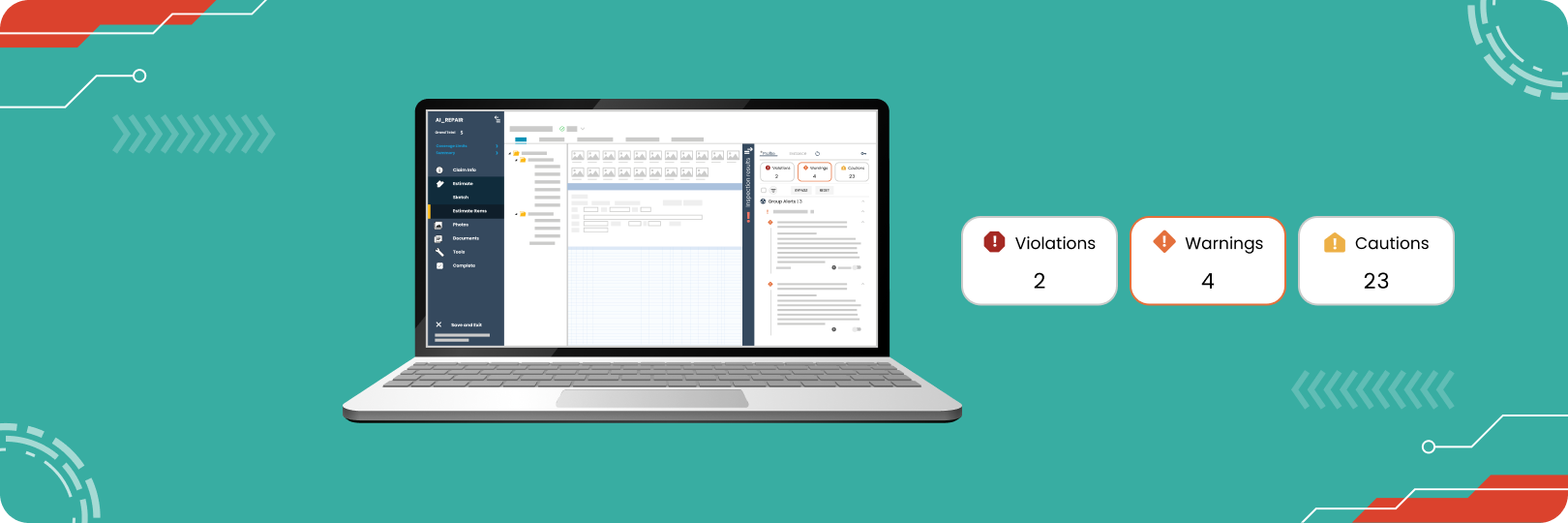
Accuracy and compliance are crucial when creating estimates in Xactimate, as they ensure fair and seamless claim settlements. Xactimate includes three different built-in alert types to guide users throughout the estimating process. These alerts provide real-time feedback, highlighting potential errors, mandatory fields, or suggestions to improve estimate accuracy and adherence to best practices. Understanding how these alerts function can help users navigate the complexities of Xactimate, leading to more accurate and thorough estimates. This article will explain each alert and how to address them.
Introducing the Actionable Xactimate Profile
The Actionable Profile is a Xactimate profile designed to streamline the estimating process. It provides users with live estimating guidance with over 3500+ alerts to ensure that estimates meet industry standards.
What Is Live Estimating Guidance?
Live estimating guidance, a feature of the Actionable Xactimate Profile, provides real-time alerts as users write estimates. As you input data and adjust the scope of work, this guidance adapts to the specific details of your estimate, offering alerts and suggestions. This dynamic approach means estimators are not left guessing about potential issues or oversights. Instead, the guidance system flags relevant alerts (Violations, Warnings, or Cautions) depending on the scope.
Book a demo of the Actionable ProfileViolation Alerts
Violation alerts in Xactimate are critical notifications that must be addressed before an estimate can be completed or printed. These alerts are marked in red within the XactXpert Drawer, making them easy to identify. Violation alerts signal significant issues, such as missing required fields or unmet criteria, impacting the accuracy of the estimate. They ensure that essential details are included, maintaining compliance with industry standards.
Examples
Examples of common violation alerts include missing information in required fields like the "Date Received" or "Date Inspected." Another frequent violation involves the Labor Minimums review, which checks if labor minimums are correctly applied after adding line items.
How to Resolve Violation Alerts
To address these, users can click directly on the violation in the XactXpert Drawer, navigate to the problem area, and input the missing information or correct the issue.
Warning Alerts
Warning alerts in Xactimate highlight potential issues requiring attention but offer flexibility in how they are handled. Displayed in orange in the XactXpert Drawer, they’re less urgent than violations but still require resolution. Warnings must be addressed or bypassed with a proper explanation before an estimate can be completed or printed.
Examples
Common scenarios for warning alerts include using line items incorrectly or overages in a scope. For instance, a warning might trigger if a particular material or service is applied outside its intended use.
How to Resolve or Bypass Warning Alerts
Users have the option to resolve the warning per the guidance or bypass it by adding an explanation for disregarding it. This flexibility allows estimators to maintain their preferred methods while providing adjusters with a clear rationale when exceptions are made.
Caution Alerts
Caution alerts serve as suggestions or reminders, helping estimators refine their estimates without requiring mandatory changes. These alerts are displayed in yellow in the XactXpert Drawer and act as optional guidance. They notify users of potential improvements or issues that may not directly affect the completion of the estimate but could enhance quality or accuracy.
Role of Caution Alerts
Unlike violations and warnings, caution alerts don’t need to be resolved for the estimate to be completed or printed. They provide insight into areas that may benefit from additional review.
Reviewing Caution Alerts
To get the most out of caution alerts, users should review them to ensure they’re aware of any potential improvements, contributing to more complete and accurate estimates.
How Alerts Make Your Estimate More Accurate and Thorough
Each type of alert in Xactimate plays a crucial role in refining the accuracy of estimates. Violation alerts ensure that mandatory information is included, warning alerts prompt users to address potential issues that might otherwise go unnoticed, and caution alerts offer valuable suggestions that can fine-tune an estimate for improved accuracy. Before completing and printing an estimate, it is essential to review all active alerts. This review process helps to ensure that no critical errors are left unaddressed and that any deviations are properly explained. By following these alerts, estimators can produce more accurate and thorough estimates, leading to smoother claims processes.
Actionable Profile and Xact Best Practices Bootcamp
Our Actionable Profile and Xact Best Practices Bootcamp offers in-depth training on using Xactimate to its full potential. In this two-day comprehensive course, participants learn about Xactimate’s history, future, and essential features, and how to leverage the Actionable Profile’s live estimating guidance. Our bootcamp is designed to help both novice and experienced professionals master line items, component buildups, yield adjustments, and the newest XactXpert utilities.
Sign up nowIn a nutshell
Understanding and utilizing alerts in Xactimate is essential for creating accurate, complete estimates. From addressing critical issues to suggestions for improvements, these alerts guide users through the complexities of the estimating process. By reviewing and resolving alerts before finalizing estimates, professionals can ensure that there are no mistakes and no missing warranted line items.
About Actionable
We're a 501(c)(6) educational non-profit, meaning that everything we do goes into developing and maintaining tools and resources to help the industry thrive.
For any questions, reach out to us below: