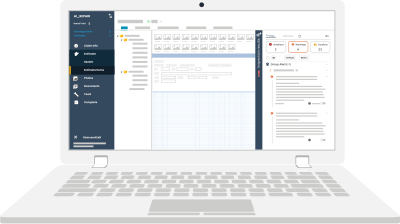
Learning the basics and best practices of Xactimate is crucial for new estimators. It’s one of the most used and widely accepted estimating tools in the property insurance industry and the go-to standard for most carriers and Third-Party Administrators (TPAs).
Accurate Xactimate estimates are essential to ensure your company is paid fairly for the work completed. If you're a new adjuster or estimator, honing your Xactimate skills is key to thriving in the industry. While it may seem daunting, this beginner Xactimate guide will help you improve your skills and write more accurate estimates.
Our Top 5 Xactimate Beginner Tips
Here are the top 5 beginner tips our Xactimate Certified Trainers consider essential to mastering Xactimate.
Tip #1 - Keep Xactimate updated
The first tip for mastering Xactimate for beginners is to always make sure you're using the latest version. Actionable works closely with Verisk’s pricing department to push for the creation of new line items, and Verisk frequently adds new features to Xactimate.
If you’re not using the most up-to-date version, you may miss out on these features or experience bugs and errors. So, how can you ensure your version of Xactimate is fully updated with the latest line items? Simple—just update it regularly.
Not sure how? No worries! Derek Stone, our Associate Director of Membership Resources, has put together a quick one-minute walkthrough to guide you through the update process.
Tip #2 - Substantiate line items with detailed F9 notes
A common mistake novice estimators make is assuming that adjusters understand every process and line item used. This is far from the truth. In reality, you must make everything as clear for the adjuster as possible, and F9 notes are the best way to do this.
It is one of the most basic tips for mastering Xactimate for beginners. By adding an F9 note, you proactively answer potential questions from the adjuster. This makes communication clearer and the approval process much smoother.
Wherever possible, justify the use of line items by adding F9 notes. These notes help the adjuster understand why specific tasks were done and why certain line items were necessary.
For example, if you used one line item for drywall protection and another for painting protection, the adjuster might assume they’re the same. In cases like these, F9 notes can clarify the difference and prevent confusion, especially when similar or duplicate items are involved.
Tip #3 Take advantage of live estimating guidance
This important Xactimate beginner tip can turn a novice estimator into an expert without taking the hard, conventional path.
Live estimating guidance is the smart way of estimating accurately. But what does it mean? Well, as the name suggests, it is guidance in the form of real-time alerts that can help you identify the issue in your scope.
Actionable’ Xactimate Certified Trainers published a 3,000+ page book, the Umpire’s Estimating Manual. The purpose was to establish a standard of invoicing based on customary building practices and reasonable line items. The ultimate goal was to help reduce the friction in the approval process.
Now, we’ve turned that into the Actionable Xactimate Profile—a profile within Xactimate with over 3,500 alerts. These alerts guide you while writing your scope, helping you choose the correct line items from the 20,000 available and never miss any. With the Actionable Profile, you never have to worry about mistakes or missing line items in your estimates.
How does it work?
The live estimating guidance works in two ways: omissions and overages.
Overages
Overages occur when you use duplicative line items or more than the required quantities of certain line items.
For example, if you’ve included a line item for drywall that already has texture and then add a separate line item for texture, an alert will notify you of the potential duplication. You can then either remove the redundant line item or add F9 notes to provide clarification
Omissions
Omissions occur when warranted line items are missing or when you fail to charge for something based on your scope.
For instance, if you're working on drywall in a room that's 20 feet high but you are charging for a standard height in your estimate, an omission alert will remind you to include the appropriate line item for the additional effort.
How does it help beginners learn?
The Actionable Profile combines the experience of veteran estimators and adjusters. The guidance it provides is shaped by their extensive experience and countless hours spent determining the right process and line items. By following this guidance, you’ll be learning from some of the top professionals in the industry.
Tip #4 Learn from other estimators
Another essential tip for mastering Xactimate as a beginner is learning from peers. Traditionally, learning in the industry has been peer-taught. While it has certain drawbacks, its benefits cannot be denied. By connecting with senior professionals, you can gain valuable insights from their experience instead of learning from mistakes.
While the Actionable Profile is your go-to guide for estimating in Xactimate, peers can offer practical advice on navigating the software, finding line items, and learning shortcuts. Whether you're just getting started or facing a tricky material you can't easily identify, peers can be a valuable resource.
Where to find a community of peers?
Finding the right community is difficult but equally important. In fact, Actionable started as a community of fellow adjusters and estimators trying to reduce friction in the approval process. Now, you can join our growing community of over 23,000 professionals to learn from industry professionals, ask questions, and much more.
Also, remember that we advocate for the adoption of new line items? We do this based on the feedback from our community. So down the road, if you feel there is a missing line item in Xactimate, let us know, and we will be your voice.
Tip #5 Use Macros
Last but not least, let’s talk about macros, an incredibly useful tool for simplifying complex estimates and boosting productivity by cutting down on repetitive Xactimate tasks. But what exactly are macros? A macro is an MCX file that bundles multiple Xactimate line items (along with their explanatory F9 notes) into one template.
How do macros work?
Let’s understand it with an example. Say you are writing an invoice for a water mitigation project in a kitchen. Simply run a relevant macro, and it will populate all the line items into your estimate. Alternatively, if you frequently work on similar projects, you can even save your own macros to reuse in future scopes, saving you time and effort.
Did you know the Actionable Profile comes with 100+ ready-to-use macros? After using a macro, you can customize the line items to fit your current estimate. For any errors that may appear, you can easily address them with the help of the Actionable Profile’s live estimating guidance.
This Xactimate beginner guide will help you in mastering Xactimate. So make sure you follow these Xactimate beginner tips that we’ve compiled for you.
Oh, and before you go, how does 99% off on the Actionable Profile sound? Pretty amazing, right? Check it out and get it at 99% off now and start estimating like a pro in no time.
About Actionable
We're a 501(c)(6) educational non-profit that builds tools and resources to help the property insurance industry thrive.
For any questions, reach out to us below: